
A source is a device that generates logs. You can add a new source and all the entities required to configure the source to a LogPoint setup from a single panel in Director Console.
Go to Config View.
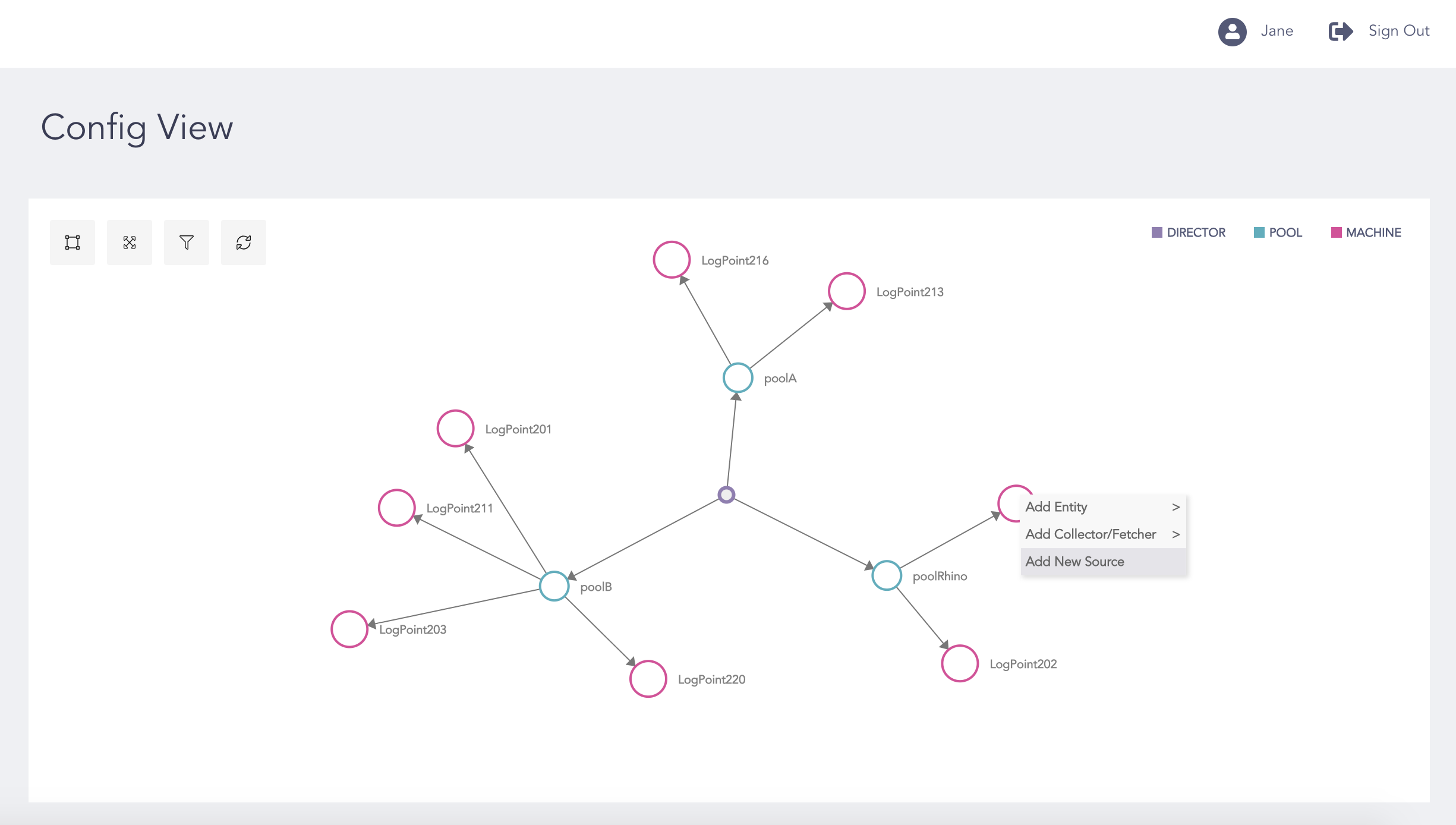
Adding New Source
Right-click the LogPoint node where you want to add a new source.
Select Add New Source.
Select the LogPoint instances from Select Configuration Location.
Click Next.
In the Create Device panel, enter all the necessary values.
Note
Click the Add New Entity ( ) icon to create a new entity that is not listed in the table.
Click the Refetch entry from Database ( ) icon to update the entities from the database.
Refer to the Devices section for details on how to create a device.
Click Next.
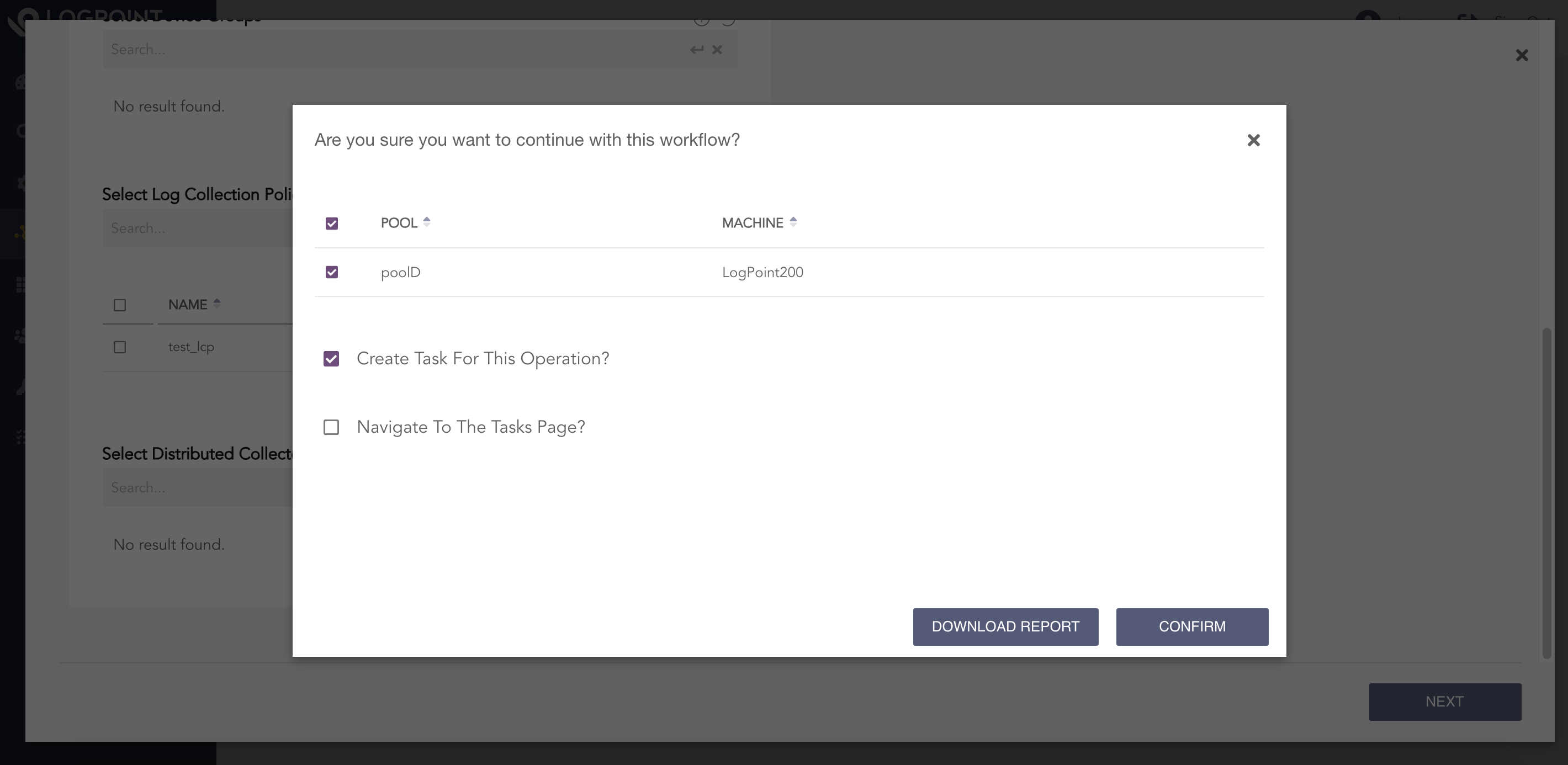
Confirm the Changes
Select Create Task for This Operation? to create a task for the operation.
Select Navigate to The Tasks Page? to go to the Tasks page after completing the operation.
Click Confirm. Click Download Report to save the summary of the tasks in PDF.
Note
If an operation fails, you can click Retry to perform the operation again or click Skip to skip the failed operation.
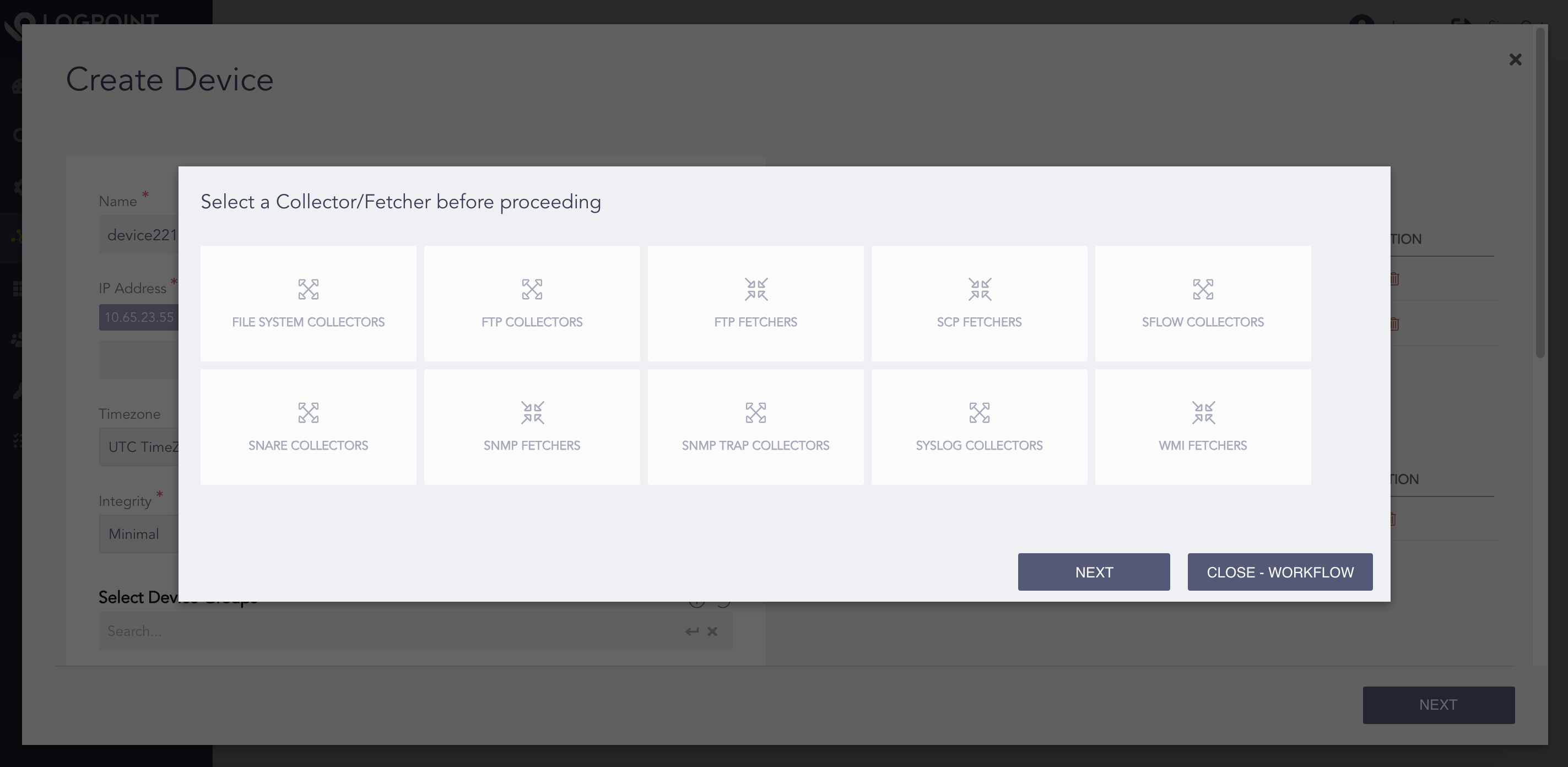
Select a Collector or Fetcher
Select a collector or a fetcher and configure it to the device created earlier.
Click Next.
Note
Click Close-Workflow to end the process.
In Selected Collector/Fetcher panel, enter all the necessary values.
Note
Refer to the Configuration section for details on how to create collectors/fetchers.
Select Create Task for This Operation? to create a task for the operation.
Select Navigate to The Tasks Page? to go to the Tasks page after completing the operation.
Click Confirm. Click Download Report to save the summary of the tasks in PDF.
Note
You can continue to add new collectors and fetchers or click Close-Workflow to end the process.